
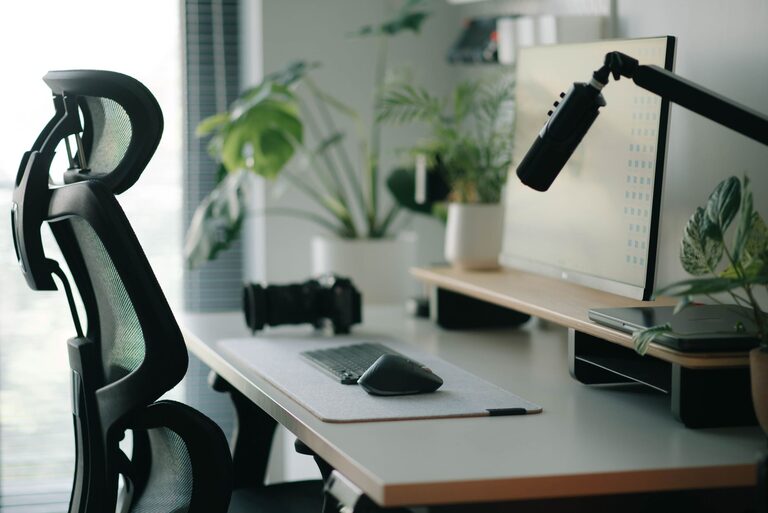
Creating an effective desk setup can significantly enhance your focus and comfort while working. Whether you spend hours at a home office or a corporate workspace, the right environment supports productivity and well-being. In this guide, we’ll explore simple yet impactful desk setup tips that can help you create a space designed for concentration and physical comfort.
Why Your Desk Setup Matters
Your desk is more than just a surface to place your computer—it’s the foundation of your work environment. A well-thought-out setup reduces distractions, supports good posture, and minimizes physical strain. This leads to improved focus, less fatigue, and greater efficiency.
Choosing the Right Desk and Chair
Desk Height and Size
Aim for a desk that allows your forearms to rest comfortably parallel to the floor when typing. The standard desk height is around 28-30 inches, but this may vary based on your height. Ensure the desk surface is spacious enough to hold essential items without clutter but not so large that you have to stretch to reach things.
Ergonomic Chair
Select a chair with adjustable height, lumbar support, and comfortable cushioning. Your feet should rest flat on the floor or on a footrest, and your knees should be roughly at a 90-degree angle. This position helps maintain the natural curve of your spine and reduces the risk of back pain.
Monitor Placement for Optimal Focus
Position your monitor directly in front of you at about an arm’s length away. The top of the screen should be at or slightly below eye level to prevent neck strain. If you use dual monitors, arrange them so you don’t have to turn your head excessively, or consider a single wide monitor instead.
Organizing Your Desk for Efficiency
Declutter Regularly
Keep only what you need daily on your desk. Excess clutter can be distracting and make it harder to find important items. Use drawers, organizers, or shelves to store extra supplies.
Essential Tools Within Reach
Place frequently used items like pens, notebooks, and your phone within easy reach to minimize movement that breaks concentration.
Cable Management
Tidy cables using clips, sleeves, or under-desk trays. Organized cords prevent tangling and create a cleaner, calmer workspace.
Lighting: Bright but Gentle
Good lighting reduces eye strain and keeps you alert. Natural light is ideal, so position your desk near a window if possible. For artificial lighting, use a combination of ambient and task lights. Avoid harsh overhead fluorescent lights, and consider a desk lamp with adjustable brightness and color temperature.
Adding Comfort and Personal Touches
Ergonomic Accessories
Items like a wrist rest, footrest, or a keyboard tray can improve comfort during long hours of work. These accessories help maintain proper posture and reduce repetitive strain injuries.
Personalize Thoughtfully
While it’s nice to add personal touches such as plants, photos, or artwork, keep these elements minimal to avoid distraction. Greenery can also help reduce stress and improve air quality.
Developing Good Desk Habits
– Take Breaks: Stand up and stretch every 30-60 minutes to reduce muscle stiffness and increase circulation.
– Maintain Cleanliness: Wipe your desk and keyboard regularly to keep the space hygienic.
– Stay Hydrated: Keep a water bottle nearby to encourage regular hydration, which supports focus.
Final Thoughts
A thoughtfully arranged desk setup plays a crucial role in supporting both your focus and physical comfort. By paying attention to ergonomics, lighting, organization, and personal touches, you can create a workspace that helps you stay productive and comfortable throughout your day. Give these tips a try and watch your work experience improve!